
This
What is Skylar Automation?
Skylar Automation enables intelligent, bi-directional integration between Skylar One and third-party applications to promote a unified management ecosystem. Skylar Automation contains default workflows that let users translate and share data between Skylar One and third-party applications, and it also allows the development of standardized, reusable snippets called "steps" that non-developers can use to create integration workflows without writing code. In addition, Skylar Automation is designed to provide high availability and scalability.
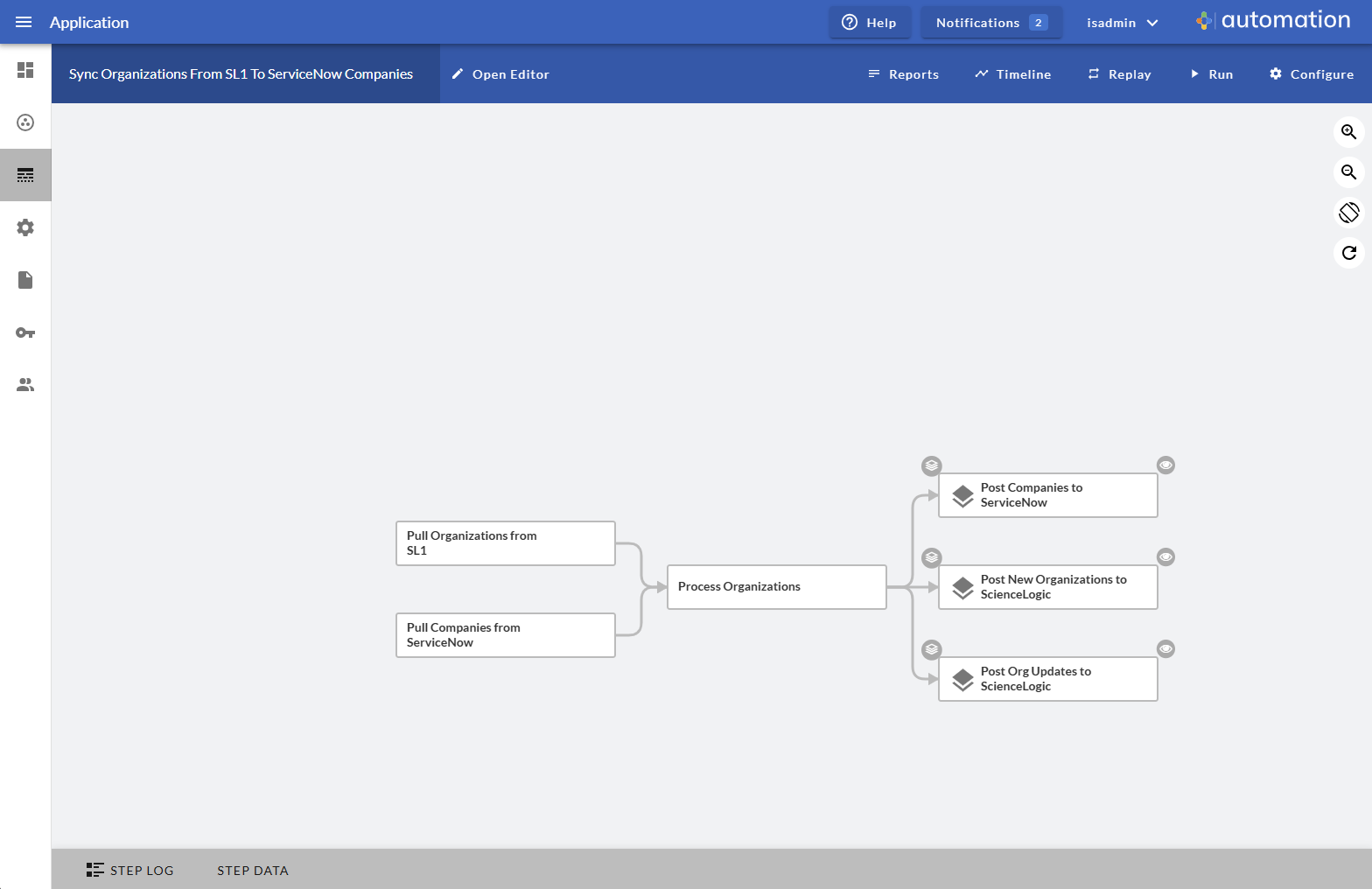
The following image shows an example of a Skylar Automation application workflow and its steps in the Skylar Automation user interface:
Tools Included with Skylar Automation
Skylar Automation includes the following tools for creating custom integrations:
- iscli. Skylar Automation includes a command-line tool called iscli (Skylar Automation Command Line Interface). When you install Skylar Automation, iscli is automatically installed. The iscli allows you to upload Skylar Automation applications, steps, and configuration objects. For more information, see the section on iscli.
- IS API. Skylar Automation includes an API. When you install Skylar Automation, the API is available. For more information, see the section on the API.
- ipaascore.BaseStep class. This Python class is included with Skylar Automation, and it contains multiple pre-defined functions that you can use when you are writing or editing a step. For more information, see the section on ipaascore.BaseStep class.
- Base Steps SyncPack. The Base StepsSyncPack includes a number of basic steps that perform common API calls. For more information, see Default Steps.
In addition, you can contact your ScienceLogic Customer Success Manager (CSM) to get access to the following tools, which are not included in a Skylar Automation system:
- SyncPack Cookiecutter. Provides a template that you can use to create SyncPacks in a repeatable manner. For more information see Generating the SyncPack Structure.
- SyncPack SDK. Contains a functional environment for developing and testing SyncPacks without the need for a full Skylar Automation system. For more information see Using the SyncPack SDK.
- SyncPack Pytest Fixtures. Allows unit test coverage of individual steps without the need for a full Skylar Automation system. Included into the SyncPack SDK. For more information see SyncPack Pytest Fixtures.
Prerequisites for Creating Skylar Automation Steps and Applications
To create your own Skylar Automation steps and applications, you must:
- Deploy a Skylar Automation system and ensure it is accessible. For details, see the Skylar Automation manual.
- Have SSH or console access to the Skylar Automation system, so you can use the iscli (Skylar Automation Command Line Interface). You will use the iscli to upload steps, applications, and configurations to Skylar Automation.
- Be comfortable with Python.
- Install a local copy of a Python IDE to use for development.
- Install a local copy of an API tool, like cURL or Postman.
- Install a local copy of a source-code editor like Notepad++, vi, or TextEdit.