
This
Standard Automation Policies
The "Skylar Compliance Automation" PowerPack includes one standard automation policy. This policy triggers three different automation actions that collect diagnostic data and formats an output. All of the automation actions use the custom action type "Restorepoint: Generic Action type", which is supplied in the PowerPack.
The following table shows the standard automation policy, the aligned events, and the automation actions that run in response to the events:
| Automation Policy Name | Aligned Events | Automation Actions |
|---|---|---|
|
Restorepoint Event Enrichment
|
All events in your Skylar One system are aligned to this policy
|
|
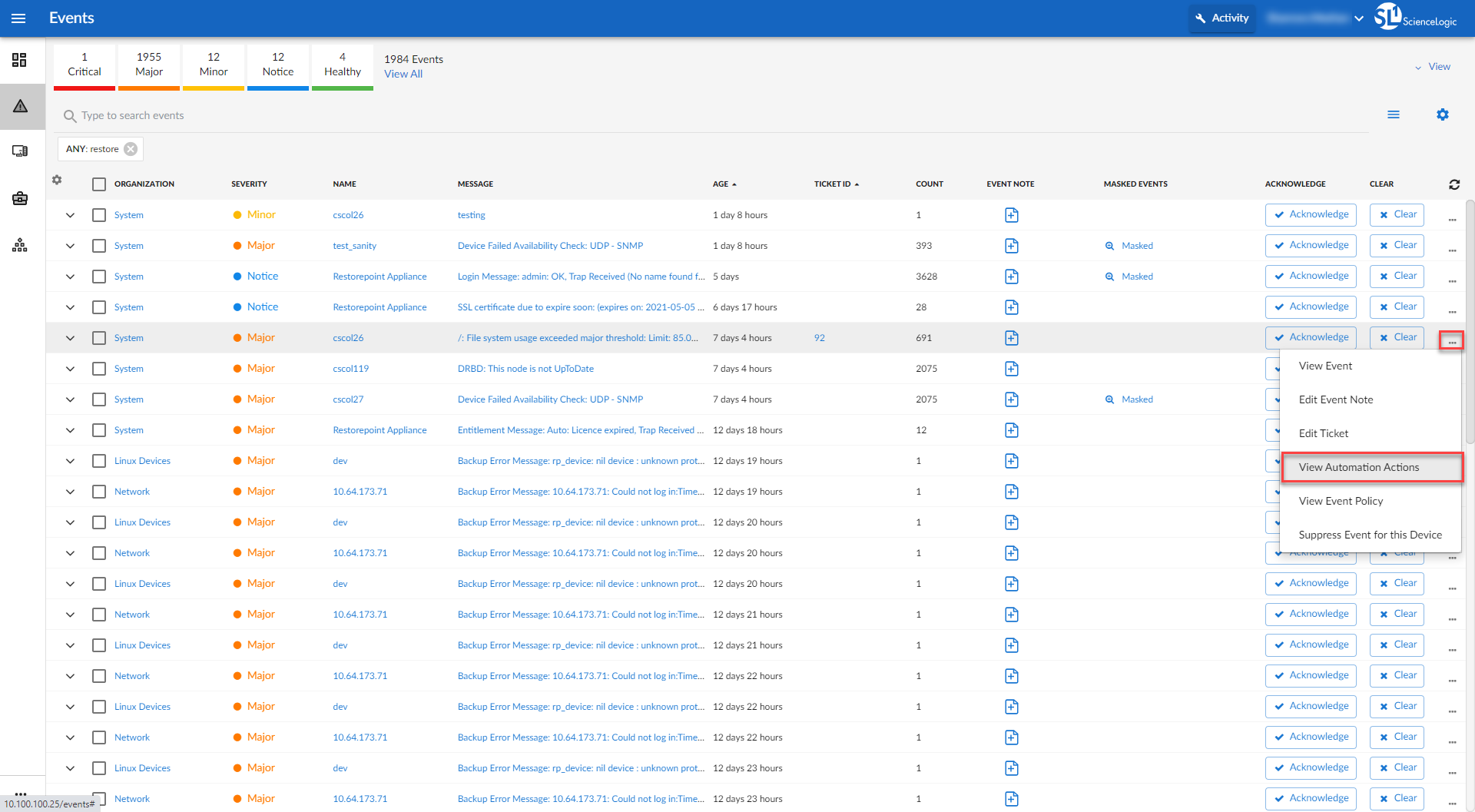
The following figure shows a file system usage threshold exceeded event with major criticality on the Events page. Click the [Actions] button ( ) for an event, and select View Automation Actions to see the automation actions triggered by the event.
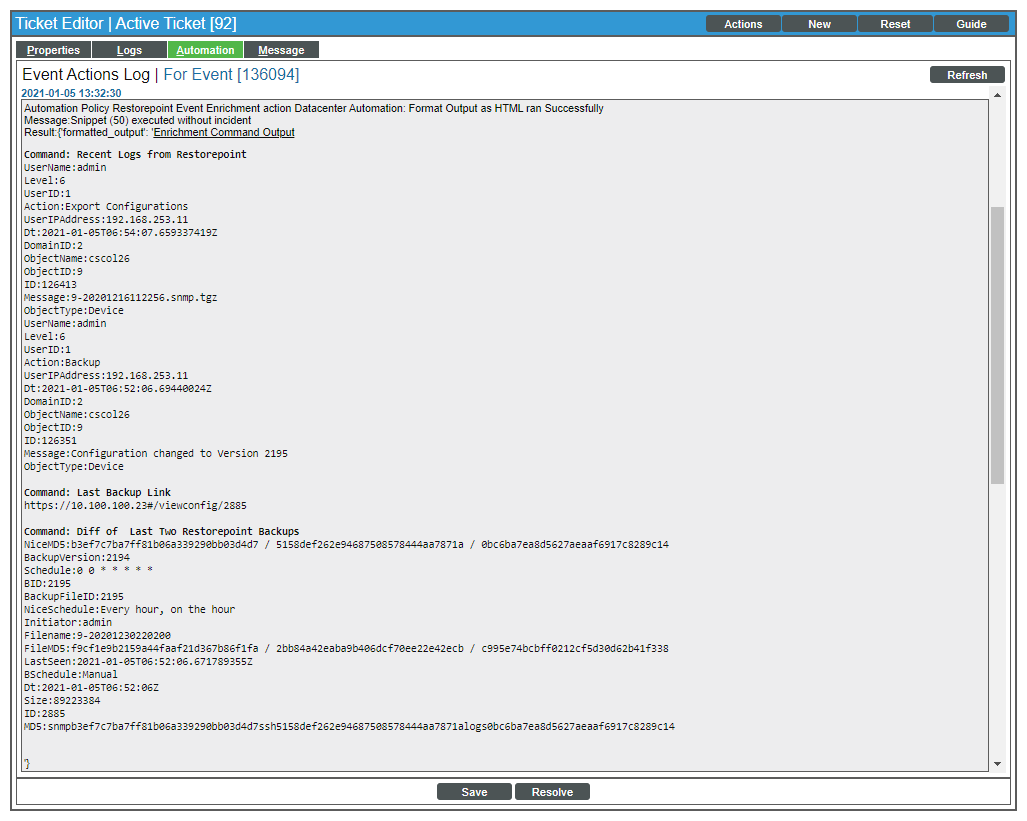
The results shown for this event, in the Event Actions Log, include the executed automation policy (shown at the top of the following figure), along with the automation actions (commands). Results for each command are also displayed. The following figure shows an example of this output:
To learn more about which commands are executed by default for a given automation action, see Customizing Actions.
Although you can edit the automation policies described in this section, it is a best practice to use "Save As" to create a new automation policy, rather than to customize the standard automation policies.